Case study
Talk to my portfolio
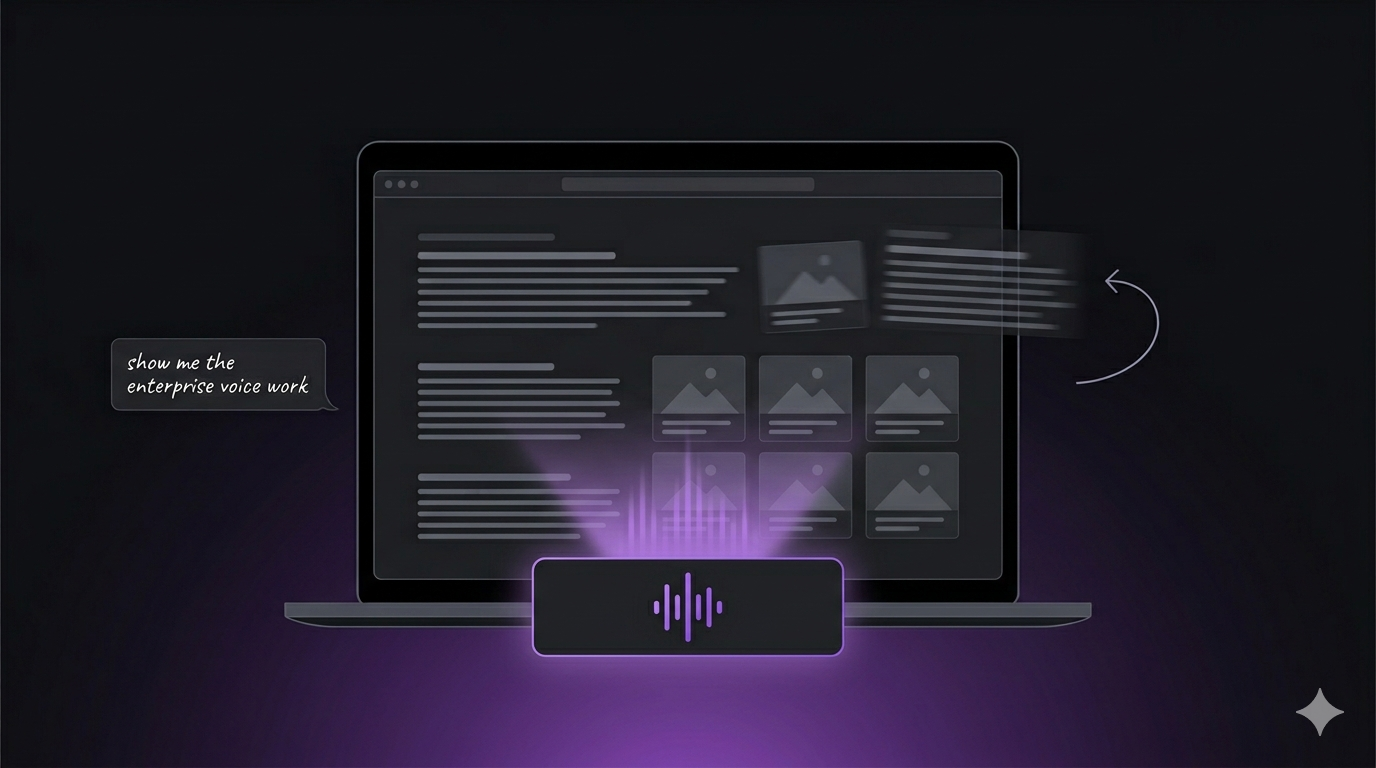
A voice agent that drives this site over RPC: ask it to open a case study, book a call, or download the resume, and watch the page respond.
Headline metric
Live
on this site
Stack
- LiveKit
- Python
- Next.js
- RPC
- Voice AI
Most portfolios have a contact form. This one has a voice.
The problem
A portfolio for a voice AI engineer that you read like every other portfolio is the wrong demo. Recruiters scan, founders skim, event organisers want proof the person on stage can ship. A wall of text claiming sub-second latency is not evidence. Talking to the site is.
My bet was simple. If I build voice agents for a living, the strongest thing I can put on my homepage is one. The constraints were less simple. It had to work on first interaction, not feel gimmicky, and not pretend to be a human.
The approach
I built the agent in Python on livekit-agents 1.5.12, with Deepgram nova-3 for STT, gpt-5.2-chat-latest on the LLM, and Cartesia sonic-3 for TTS. An English turn detector handles natural turn-taking so it does not talk over you.
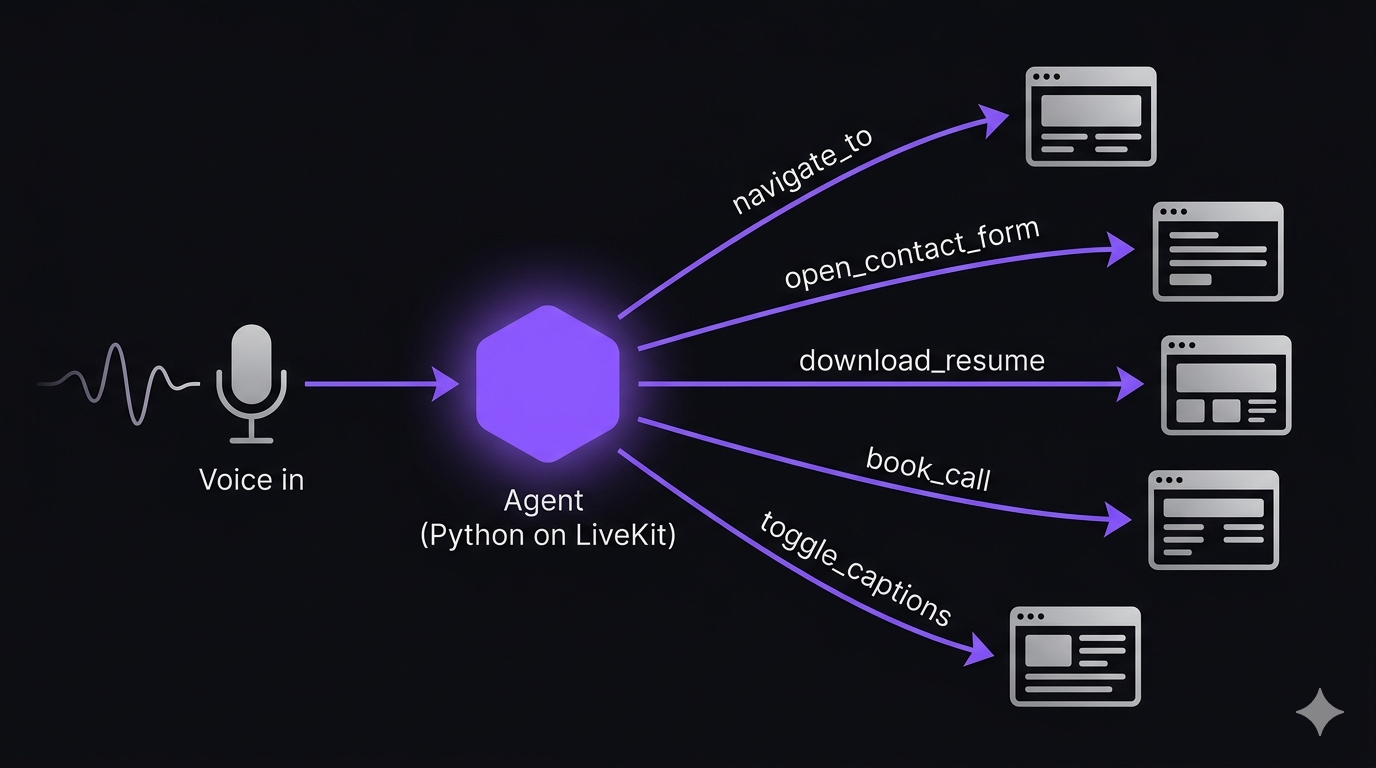
The piece that makes it more than a chatbot with a voice is the RPC bridge I built between the agent and the site. The agent has function tools that drive the actual frontend: navigate_to, open_route, open_contact_form, download_resume, book_call, submit_feedback, toggle_captions, end_call. Ask it to show the GoReach case study and the page navigates. Ask to book a call and the booking flow opens. The voice is the interface, the site is what it controls.
I'm running Next.js 16 on the frontend to host the agent UI and expose the RPC handlers the agent calls into.
Tech decisions worth noting
- LiveKit for the realtime layer. Same reasoning as the day job: turn-taking and media transport are not where I want to be writing custom code.
- Deepgram nova-3 over Whisper. Streaming latency and barge-in behaviour are noticeably better for a live web demo.
- Cartesia sonic-3 for TTS. Fast first-byte, voice quality that does not undersell the project.
- RPC bridge from agent to frontend. Tools that navigate the site rather than describe it. The agent shows, it does not narrate.
- English turn detector. Tuned for natural pauses so the conversation does not feel like a walkie-talkie.
- Guardrails baked in at the system prompt and tool layer. The agent will not roleplay as me, drift off topic, speculate beyond what is on the site, or invent contact methods. The specifics stay private. The intent is that the demo represents me honestly or it does not run at all.
Outcome
It is live on this site. A recruiter can land on the homepage, press talk, ask "show me the enterprise voice AI work," and watch the page move. A speaking organiser gets a stage-ready demo without scheduling a call. A junior engineer gets a working reference implementation of an agent that drives a real frontend over RPC.
What I learned
The interesting engineering was not the voice stack. It was the contract between the agent and the site. Function tools that navigate a real app, rather than return text, forced me to think about what the agent is allowed to do, how it recovers when a route does not exist, and how the UI communicates state back. That contract is the same one production voice agents need when they touch a CRM or a booking system. Building it on my own site was the cheapest way for me to keep that muscle sharp.